Drop in a PDF or import MusicXML — Klavia engraves it as real notation and helps you learn it hands-separately with smart fingering, note labels, playback, and play-along practice.
Free while in beta • iPhone & iPad • Requires the TestFlight app
No catalog to buy into — play the music you already own.Import once, then read, listen, and play along — all built around the sheet music that matters to you.
A PDF or a MusicXML file. Optical Music Recognition turns printed PDFs into real, editable notation.
Crisp, professionally engraved notes, beams, clefs and key signatures — legible in light or dark mode.
Show C-D-E or Do-Re-Mi above each note while you learn — colour-coded by hand, off for a clean score.
Switch to Right, Left, or Both hands — the score truly re-engraves to a single staff so you can drill each part.
The next note glows. Play it on a MIDI keyboard (or through the mic) and it advances — at your own pace.
A Synthesia-style view drops notes onto an 88-key keyboard — with a tempo you set from the piece's own marking.
Klavia adds finger numbers 1–5 to the notes automatically, so you always know which finger comes next. On by default — turn it off for a clean score.
Built-in warm-ups, scales, arpeggios and finger-independence drills. Start slow with the metronome, then raise the tempo as it gets even and relaxed.
Real screens from Klavia — upload a favourite piece and it becomes something you can read, hear, and play.
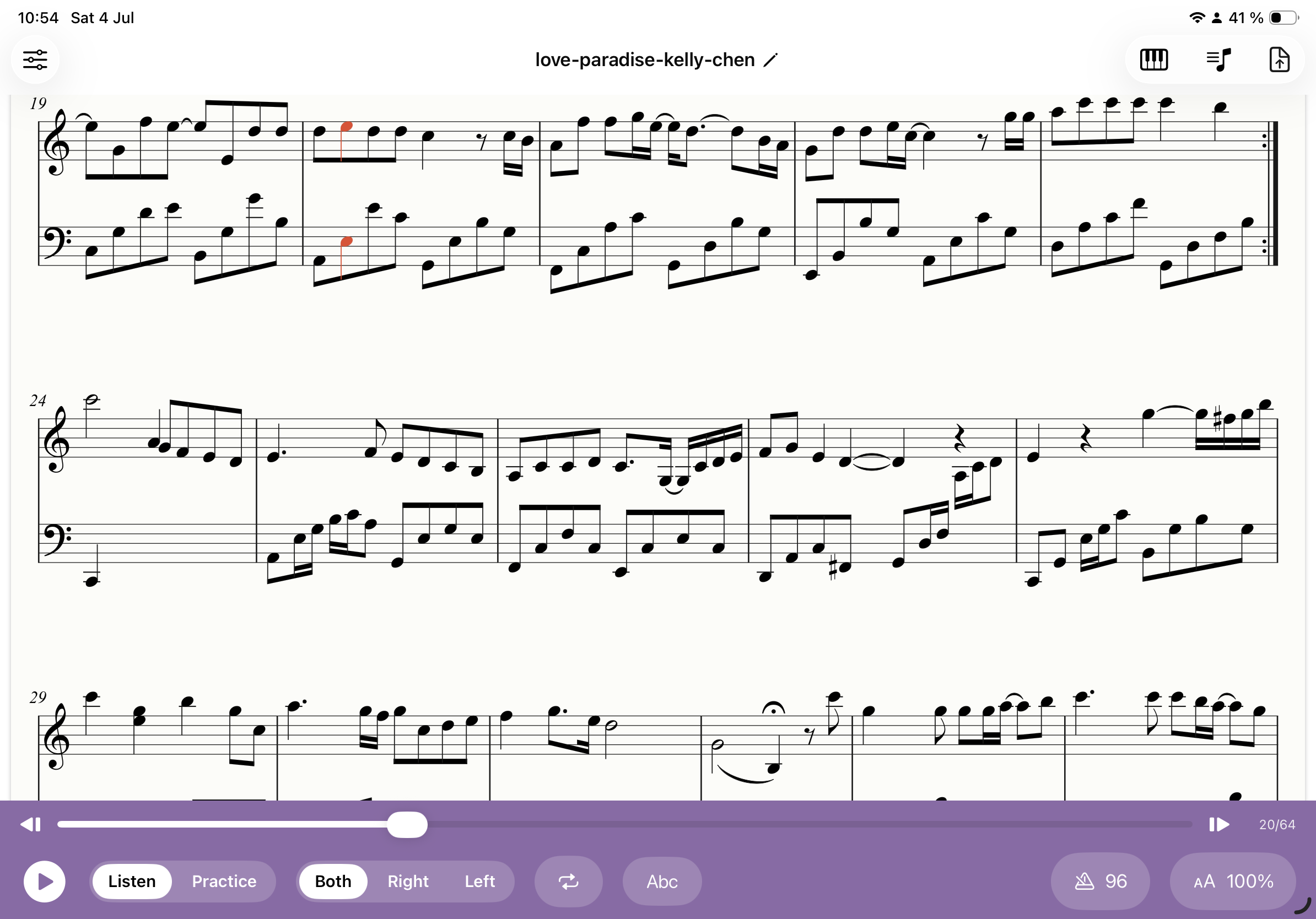
Any piece you upload is engraved as clean, real notation. Press play and a cursor tracks every note, auto-scrolling as it goes.
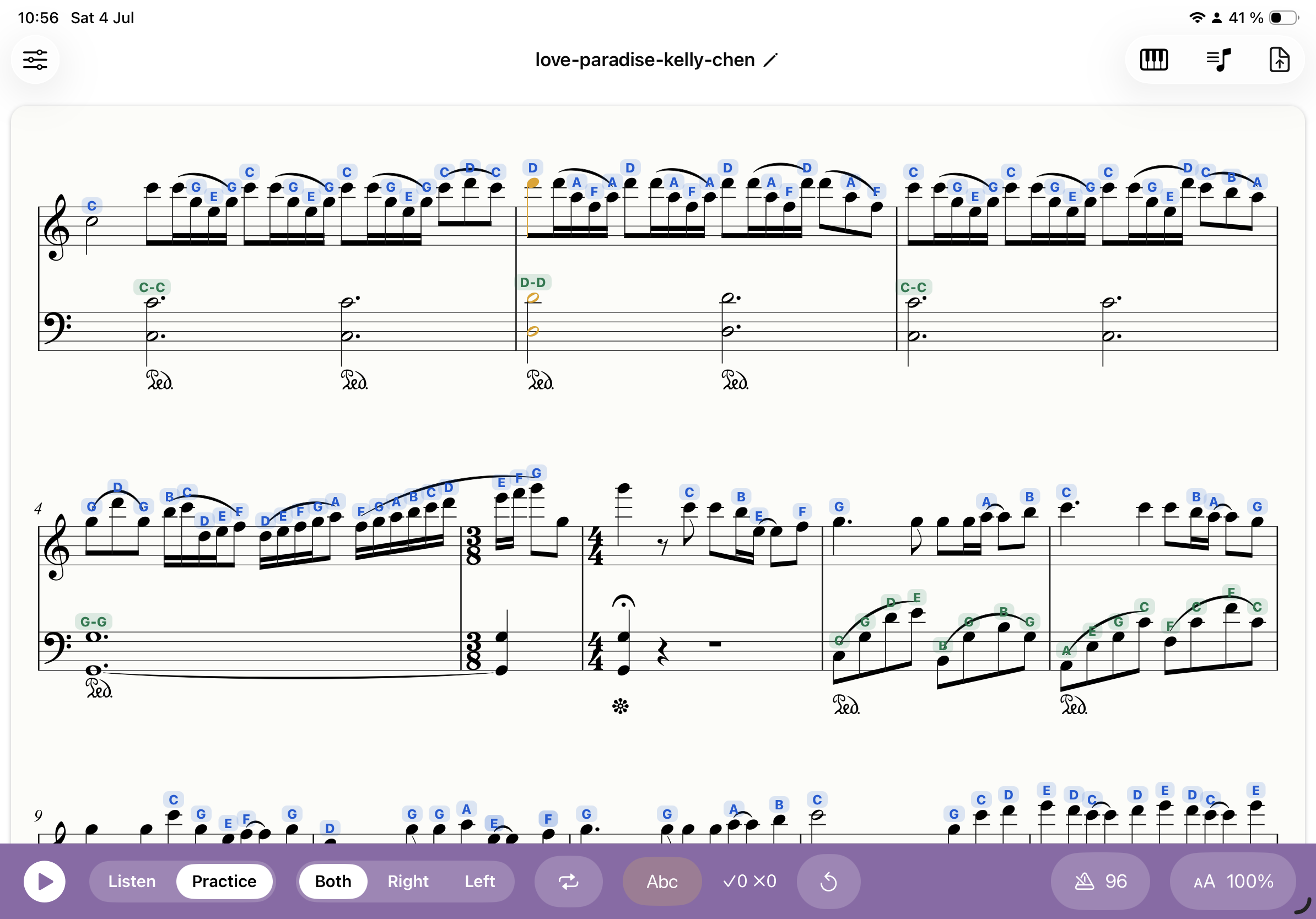
Turn on C-D-E labels — blue for the right hand, green for the left — while you're learning, then switch them off for a clean score.
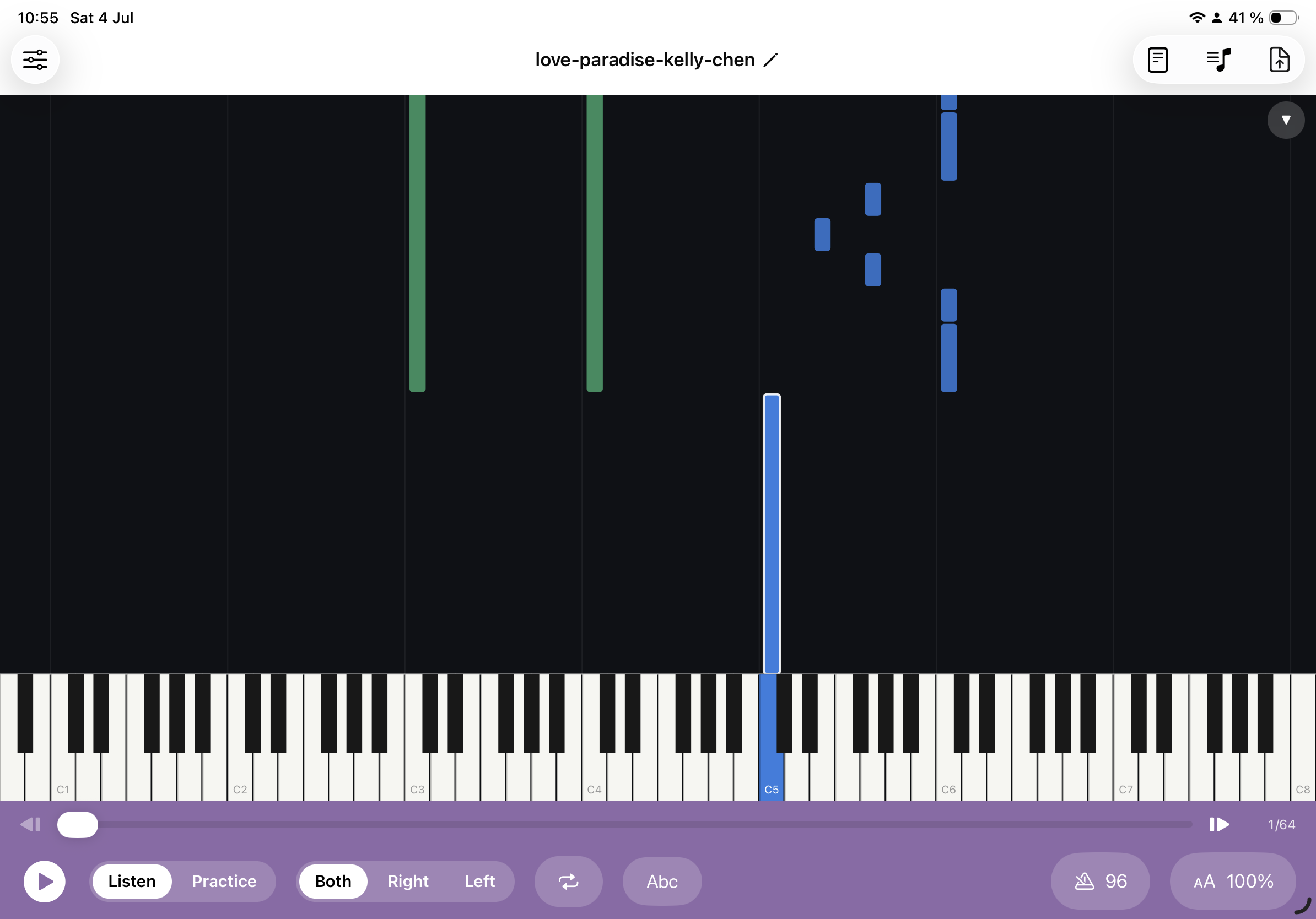
Prefer a Synthesia-style view? Notes fall onto a full 88-key keyboard so you can see exactly what to press and when.
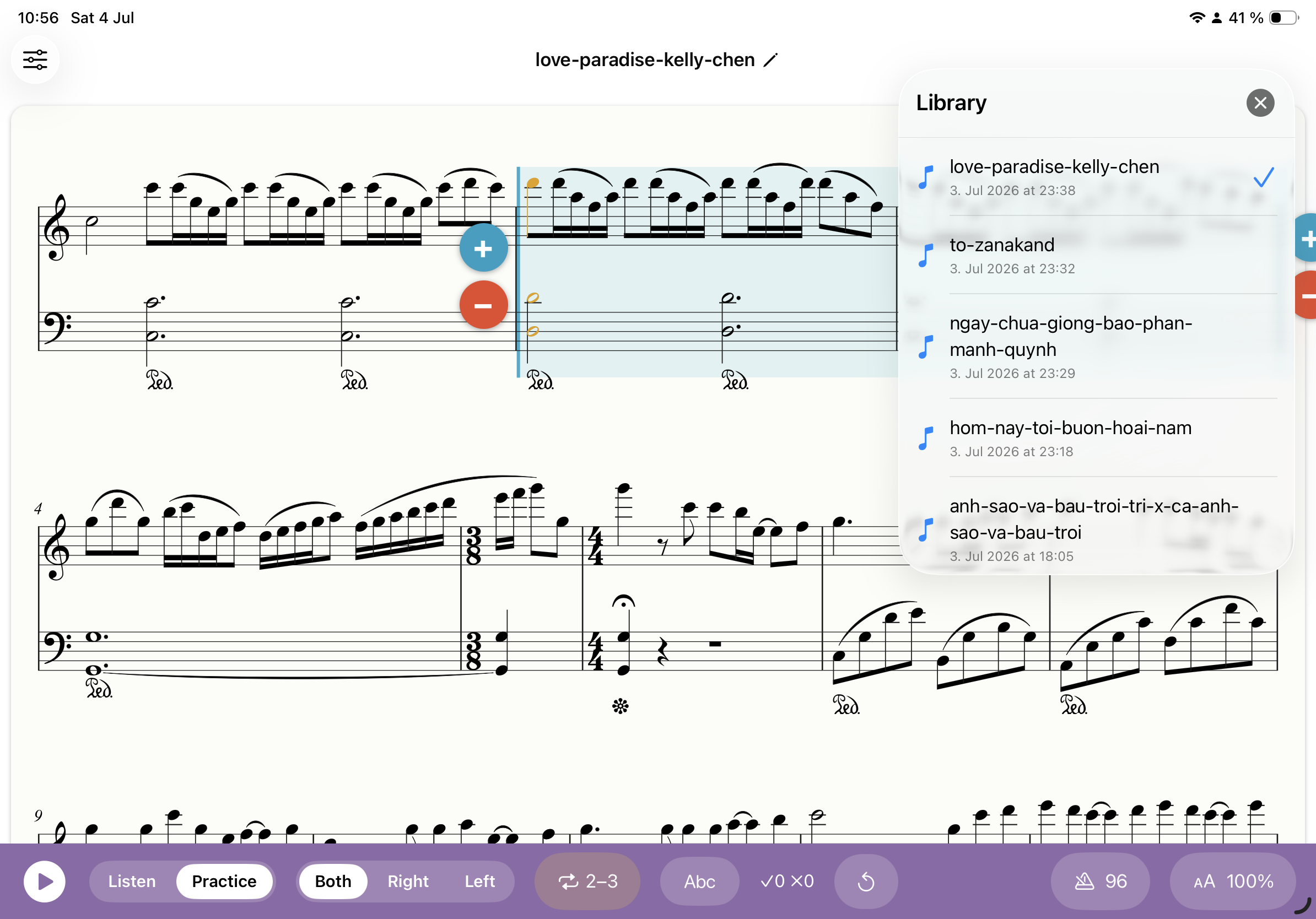
Every song you import is saved on-device. Drag across bars to loop a tricky passage and repeat it until it's yours.
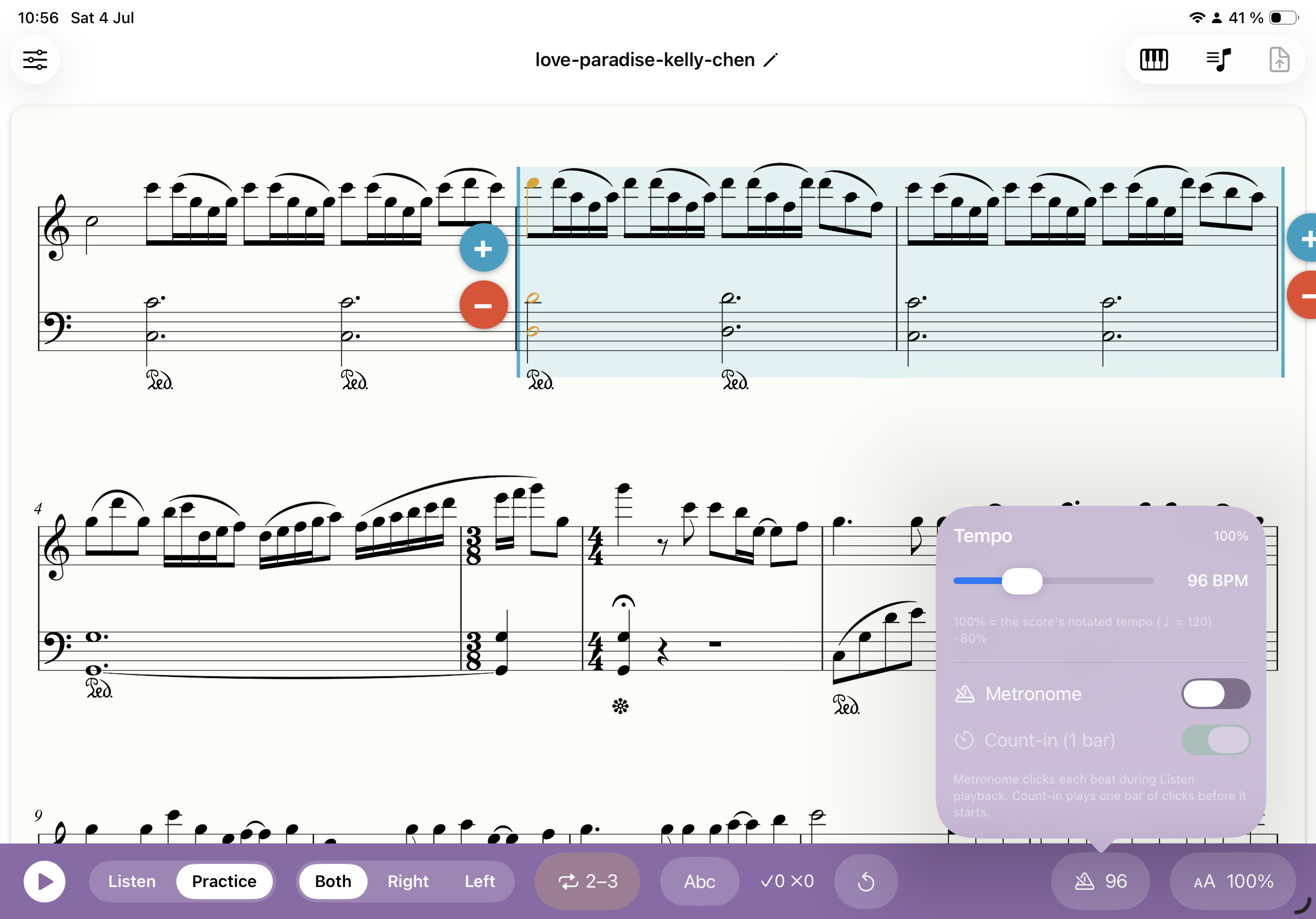
100% is the score's own marked tempo — slow it right down, add a metronome click or a one-bar count-in, and speed up as you improve.
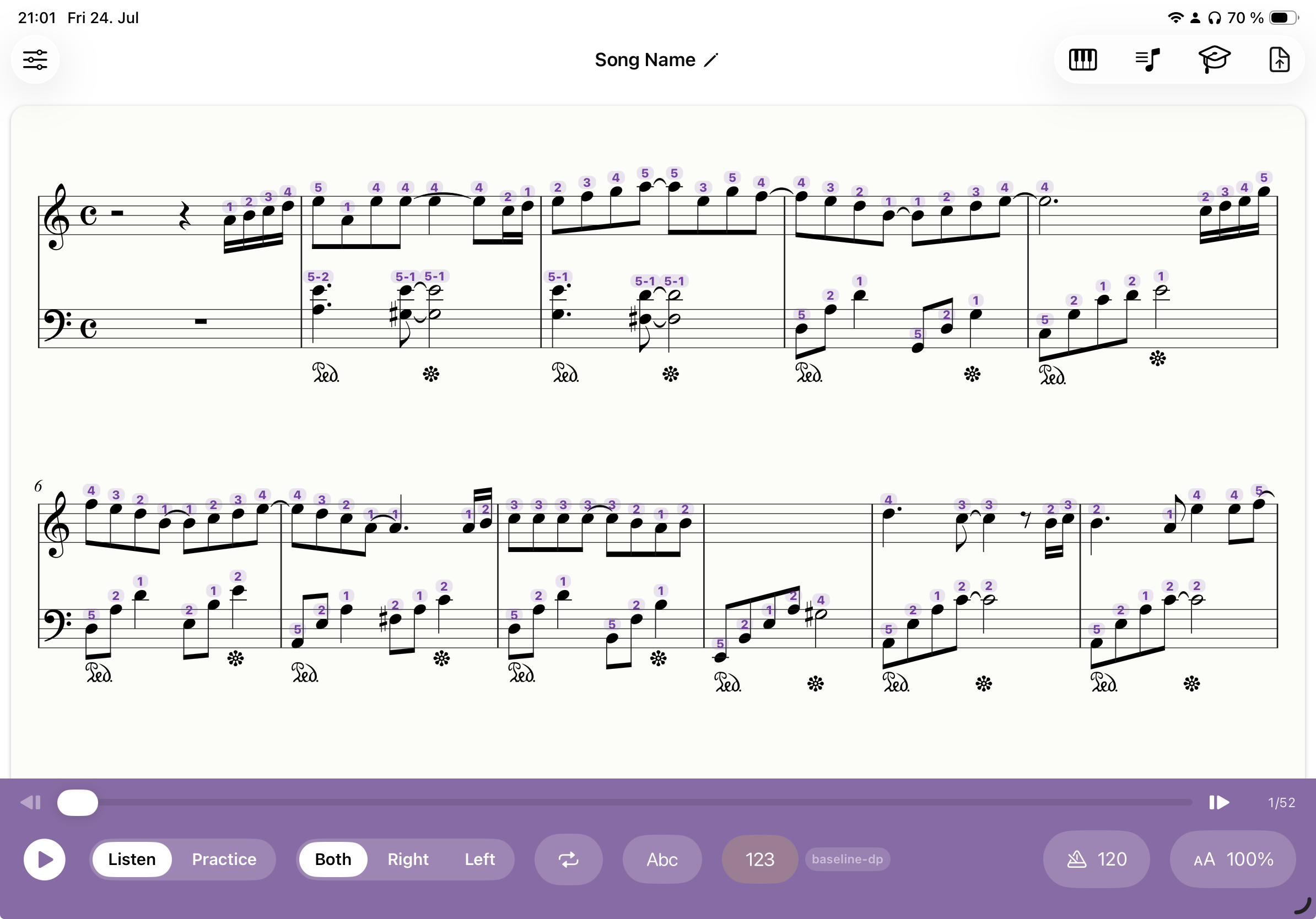
Klavia adds finger numbers 1–5 right above the notes, colour-coded by hand, so you always know which finger to use — turn them off any time for a clean score.
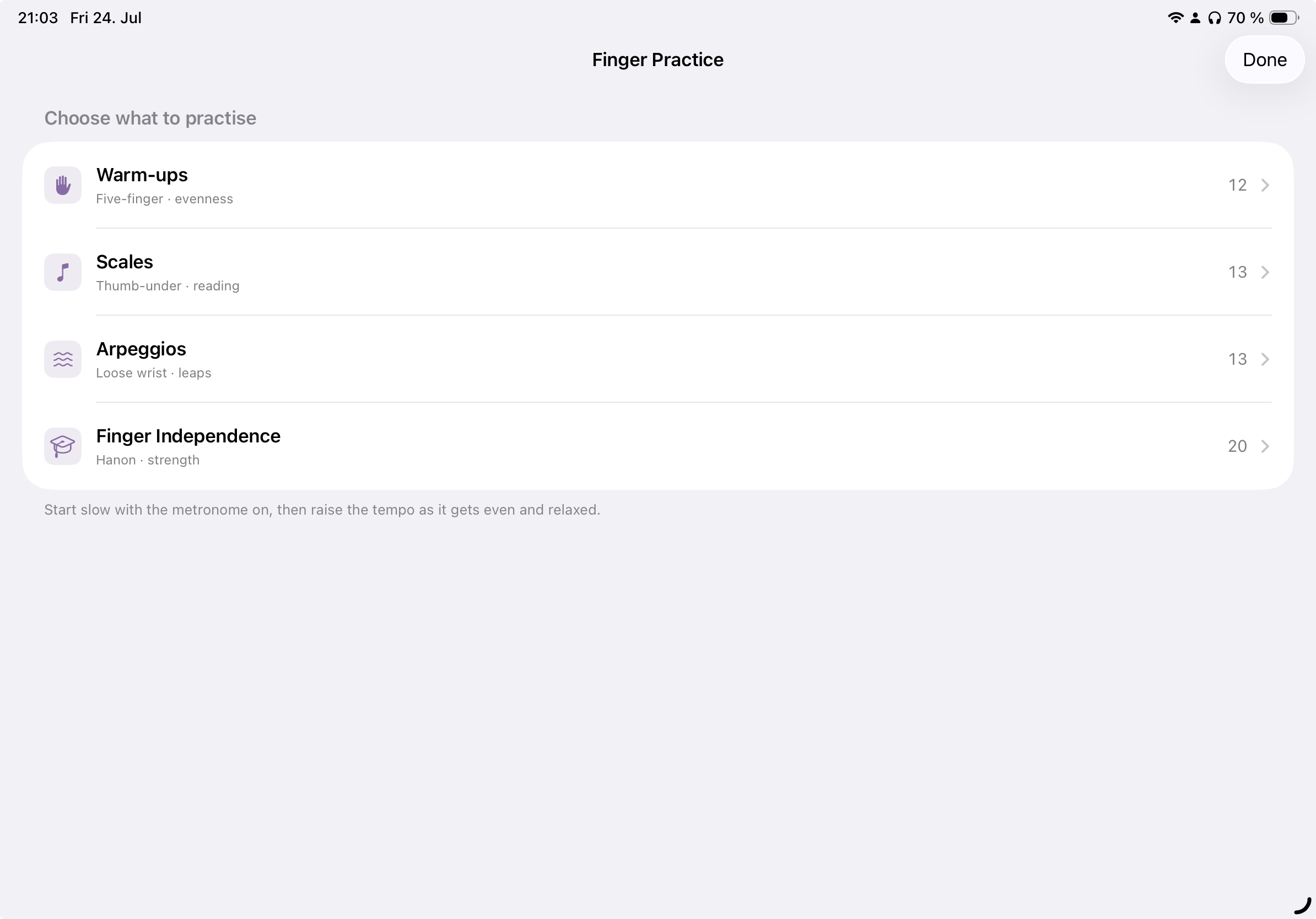
Warm-ups, scales, arpeggios and finger-independence drills are built in — pick one and practise your technique with the metronome, no import needed.
Practice hands-separately, wait-mode play-along, and connect a MIDI keyboard over USB or Bluetooth — or use the microphone with an acoustic piano.
No new catalog to buy into. Just the music in front of you.
Upload a PDF — a single page or a full document — or drop in a MusicXML file directly.
Klavia recognises the notation and engraves it as a clean, interactive score you can zoom, relabel and reflow.
Listen with a moving cursor, loop a tricky bar, slow the tempo, or switch to wait-mode and play it yourself.
Smart fingering suggests the right finger (1–5) for every note, so you always know your hand position and can focus on playing.
Most piano apps only teach the songs they've licensed. Klavia flips it around.
 Klavia